
Annotate any PDF
exactly the way you want to
Add notes & annotations to any PDF document - comments, corrections, signatures, highlighting, even photos, designs and drawings.

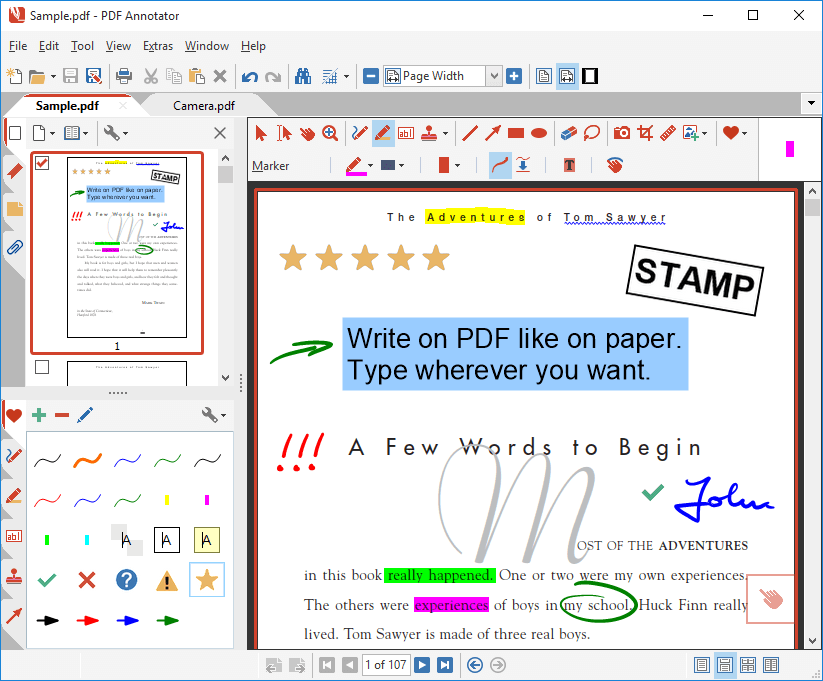
How does PDF Annotator work?
- Add notes & annotations to any PDF document:
Comments, corrections, signatures, highlighting, even photos and drawings.
And on Tablet PCs: Handwritten annotations. - Save annotations in the original file.
Share them with coworkers, email them to clients, partners or back to authors.
No special software is needed to view the marked up document! - Restore to the original document at any time.
Remove or hide all markup with a single click. - Insert blank pages for more space.
Combine documents, copy, re-order or remove pages. - Use PDF Annotator's unique presentation mode:
Deliver outstanding interactive presentations in meetings or lectures with PDF Annotator as your "digital whiteboard".
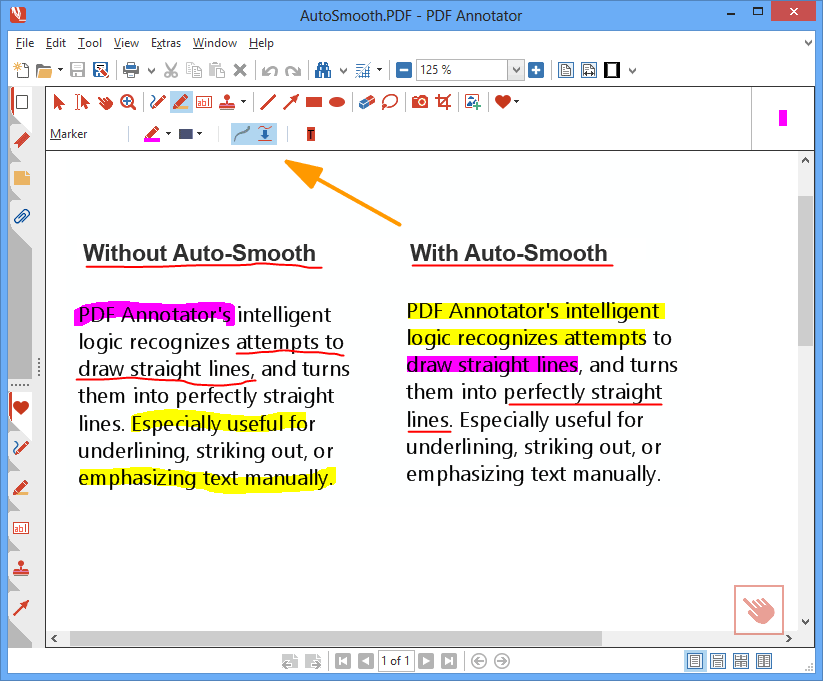
Who needs PDF Annotator?
You do, if you want to:
- Make a short comment on a long document
- Fill in or sign a form or agreement, and return it by email
- Proofread, review and correct a document right on your screen
- Make notes and drawings right on the pages
- Illustrate your ideas and suggestions
- Grade student papers right on your PC, laptop or Tablet PC
320,000+ PDF Annotator Lovers!
Today, our software is being used by more than 320,000 happy customers in 149 countries.
Here's what they say about PDF Annotator:
"Get ready to kiss Adobe Acrobat good-bye [...]"
"[...] because PDF Annotator is now available and it is packed with so much new functionality it’ll leave you saying “Acrobat who?”"
How it works
Click any group to learn more about all PDF Annotator features:











Award Winning Software
Winner at Microsoft Tablet PC Contest sponsored by HP and PC Magazine!
Epsilon Award 2011 Winner ~ SIA Awards 2008 Nominee
Get this must-have PDF tool for your PC!
Either install our 30-day trial today, or make use of our 60-day money-back guarantee. We know that you will like it.